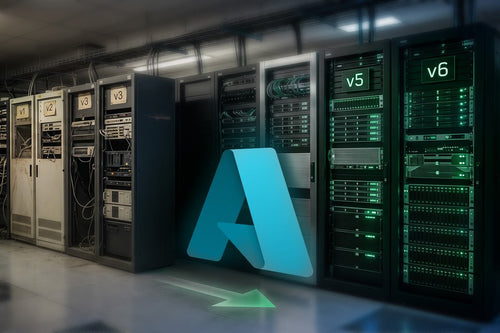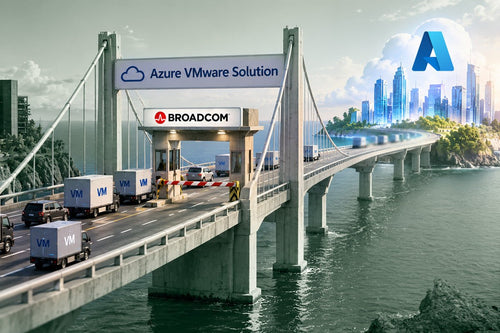
Broadcom’s restructuring of VMware has forced many IT leaders into an uncomfortable realization: the infrastructure strategy that worked for the past decade may no longer be financially or operationally sustainable. Subscription-only licensing, bundled SKUs, higher minimums, and renewal unpredictability are pushing organizations to evaluate alternatives.
But exiting VMware is not simply a migration project. It’s a strategic opportunity. The organizations seeing the most success aren’t just “moving off VMware.” They’re using the moment to modernize. This article outlines a practical, phased roadmap: from lift-and-shift to long-term modernization.

Claim Your VMware Migration Readiness Assessment
Step 0: Planning (The Most Skipped Step)
Before touching a single workload, planning must come first. One of the biggest migration failures occurs when teams underestimate application dependencies, skip identity and networking design, or fail to model licensing implications. A VMware exit affects identity, networking, security, disaster recovery, backup, licensing, and governance. Treating it like a hypervisor swap is a costly mistake.
Key planning questions include: What workloads are mission-critical? What are the interdependencies between systems? Which workloads are overprovisioned? Which applications are candidates for modernization? You’re not just moving infrastructure; you’re redesigning its future.
Step 1: Assess and Baseline
Before migrating, you need clarity. A thorough assessment should evaluate infrastructure utilization, dependency mapping, and your current licensing posture. Most on-prem VMware environments are built for peak demand, which often means oversized VMs and idle CPU capacity. Cloud economics reward right-sizing, as overprovisioned workloads become cost multipliers in consumption models.
Furthermore, applications rarely operate in isolation. SQL databases, IIS servers, domain controllers, and third-party integrations must each be identified. Missing even one can lead to post-migration outages. Understanding your Windows Server and SQL Server licensing assets is also critical, especially if leveraging Azure Hybrid Benefit or transitioning to Hyper-V.
Step 2: Lift-and-Shift (Stabilize First)
Lift-and-shift is often the fastest way to exit VMware. This approach moves workloads as-is, minimizes architectural changes, and reduces timeline risk. It works especially well when renewal deadlines are near or internal resources are constrained. However, lift-and-shift should be viewed as a transitional step, not the destination. Once you have moved platforms, you need to unlock value.
Step 3: Choose Your Strategic Path
After stabilizing workloads, organizations typically move into one of three models:
- Option A: Full Cloud (Azure Native). Ideal when hardware refresh cycles are approaching or IT staffing is limited. Cloud enables consumption-based scaling, platform services (PaaS), and shifts responsibility for data center operations off your team.
- Option B: Hybrid. The most common model. Hybrid allows organizations to move mission-critical systems to Azure while repurposing existing hardware with Hyper-V for local failover. With tools like Azure Arc, organizations can manage distributed resources through a unified governance layer.
- Option C: Hyper-V On-Prem. For organizations with regulatory constraints or manufacturing workloads, Hyper-V can be a viable VMware alternative. It leverages existing Windows Server licensing and allows hardware reuse, though hardware refresh cycles and data center operational costs persist.
Step 4: Modernization (Where Real Value Emerges)
This is where transformation happens. Once workloads are stable, modernization can begin through containerization or moving to Platform as a Service (PaaS). For example, replacing a SQL Server VM with Azure SQL removes OS patching and reduces the attack surface. Implementing elastic scaling, such as auto-scaling policies and spot VMs, ensures costs align with actual usage.
Step 5: Ongoing Optimization
Migration is not the finish line. Without optimization, cloud sprawl occurs and costs creep upward. Successful organizations review consumption monthly, adjust VM sizing, and apply reservations or savings plans. Cloud and hybrid environments reward active management.
Common VMware Exit Mistakes
Avoid these pitfalls: skipping assessment, migrating without right-sizing, ignoring identity and networking design, or treating lift-and-shift as a final state. The goal isn’t to recreate VMware somewhere else; the goal is to build something better.
Final Thought: Broadcom’s changes didn’t just disrupt licensing; they created a strategic inflection point. Organizations that treat this as a forced renewal exercise will absorb higher costs. Organizations that treat this as an architectural pivot will reduce risk, modernize operations, and align infrastructure with long-term business strategy.